
 IONIZER AIR PURIFIER
 Setup & technical specifications
EnergAire® setup & specs, made simple.
Where to place it. How to use a fan. What the numbers mean. The practical details that help a filter-free ionizer air purifier work as part of a thoughtful room-air routine.
Simple room-air support
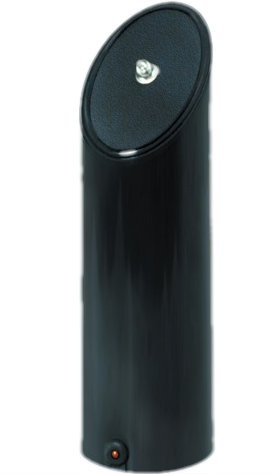
Quick start
Three steps before you walk away.
EnergAire® is simple to use, but placement still matters. Give the unit open room air, connect the right model to power, and let the room receive steady ionization support.
Place it in open room air.
Set EnergAire® upright on a stable surface where air can move around it. Keep the housing clear of curtains, furniture, tightly packed storage, and closed cabinets.
Plug it into a suitable outlet.
Use the standard U.S. model with a 110-120V household outlet. 220-240V models are available for use outside the United States. The unit operates quietly without an internal fan.
Let it run as part of the routine.
Continuous operation gives the room steady ionization support. Keep normal ventilation, source control, dusting, and vacuuming in the plan, especially in smoky or dusty spaces.
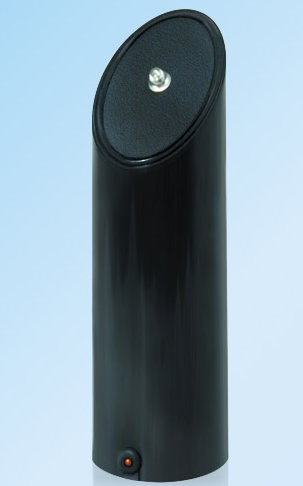
Placement matters
Give ions a room to move through.
EnergAire® releases negative ions into the surrounding room air. The unit should not be buried behind storage or tucked into a tight corner where the air around it is stagnant.
- Place it near the room where air support is most useful.
- Keep the top emitter area unobstructed.
- Use an open surface rather than a closed shelf or cabinet.
- For spaces up to 4,000 cubic feet, treat the figure as a favorable-condition reference; room layout, closed doors, airflow, and obstructions affect real-world performance.
Room-by-room setup
Use it where air needs support.
The same unit can fit several environments. The best setup starts with open placement, normal cleaning, and a realistic view of what the room needs.
Keep the air path open.
Place EnergAire® where people spend time, away from curtains, books, and furniture that can surround the unit. Use comfortable room circulation when the space is large or still.
Pair air support with housekeeping.
Address moisture, dust, vehicle exhaust, stored materials, and other sources at the same time. Keep the unit visible and accessible for normal cleaning.
Move air across the room.
In smoky, dusty, or high-pollution areas, use low-speed cross-room airflow to help distribute ionized air and reduce heavy particle buildup close to the unit.
Airflow assist
Use a small fan for more even room coverage.
EnergAire® does not have an internal fan. In a larger, active, smoky, dusty, or high-pollution room, a small fan can help move room air beyond the immediate area around the unit. Gentle circulation can also reduce heavy particle buildup on surfaces right around EnergAire®.
- Place the fan behind or slightly offset from EnergAire®.
- Aim the fan across the room to create cross-room flow.
- Use a low or comfortable speed rather than a direct high-speed blast.
- Continue normal dusting and vacuuming as particles settle.
Chart one
Ion concentration has a context.
Natural environments and indoor spaces can have different ion concentrations. The graphic below is a relative orientation chart, not a current laboratory comparison or a promise of a specific room result.
Relative negative-ion concentration
Higher relative concentration is shown farther from the center line. Distance, humidity, ventilation, and measurement method all matter.
Product output reference: published EnergAire® specifications list approximately 450,000 negative ions per cubic centimeter per second at 1 meter. Ion output can vary with distance, humidity, and other environmental conditions.
Chart two
Particle sizes span a wide range.
This logarithmic chart shows common particle-size references alongside the EnergAire® product reference for particles as small as .001 micron.
Particle diameter in microns
One micron is one-thousandth of a millimeter. The biological rows show size context only; they are not a claim of disinfection or inactivation.
*How to read the EnergAire® band: the highlighted band is a size reference based on the published product description that EnergAire® can address particles as small as .001 micron. It is not a universal removal-efficiency curve. Particle composition, room airflow, placement, operating time, and surface cleaning affect results.
Technical specifications
The numbers that matter.
Use these specifications as a buying and setup reference. Values may vary by model, voltage version, distance, humidity, and test conditions.
| Product | EnergAire® ionizer air purifier |
|---|---|
| Technology | Negative ion air purification support |
| Coverage | Up to 4,000 cubic feet under favorable room conditions |
| Particle reference | Helps address airborne particles as small as .001 micron |
| Ion output | Approximately 450,000 negative ions per cubic centimeter per second at 1 meter |
| Power use | Less than 2 watts |
| Power | 110-120V, 50-60 cycle AC U.S. model; 220-240V models available outside the United States |
| Electrical output | Approximately 15 kV; approximately 20 microamps |
| Nominal size | Approximately 3 inches diameter x 9 inches high |
| Weight | Less than 1 pound |
| Case | Glossy black ABS high-impact plastic |
| Maintenance | No filters, bags, cartridges, replacement media, or internal fan |
| Ozone output | Less than 0.01 parts per million. This is well below the 0.05 ppm limit for medical devices cited in EPA guidance. |
| Model | 030E110 standard U.S. model |
| Manufacturing | Designed and manufactured in the USA by Micron Corporation |
What to expect
Give the room time to respond.
Air conditions change throughout the day. A steady setup, normal housekeeping, and realistic expectations make it easier to evaluate the room rather than the moment.
Place, plug in, and clear the air path.
Set the unit upright, keep the emitter area open, and confirm the correct voltage model is being used.
Keep normal cleaning in the routine.
Wipe or vacuum settled particles and adjust the placement if the unit is surrounded by furniture, storage, or stagnant air.
Use airflow when the room needs it.
In larger or high-pollution spaces, use gentle cross-room fan flow and continue ventilation and source control.
Setup & specs FAQ
Quick answers before you plug in.
Use these answers to choose the room, plan the airflow, and understand what the specifications mean in everyday use.
Does EnergAire® use a filter?
No. EnergAire® releases negative ions into the surrounding air instead of pulling air through a replaceable filter cartridge. There are no filters, bags, cartridges, or replacement media to buy.
Where should a fan be placed?
For the preferred cross-room arrangement, place a small fan behind or slightly offset from EnergAire® and aim it across the room. Use a low or comfortable speed and avoid a high-speed stream aimed directly into the unit.
What does the .001 micron reference mean?
It is a particle-size reference in the published product description, not a universal removal-efficiency curve. Real-world performance depends on the particle, room airflow, placement, operating time, and where charged particles settle.
Does EnergAire® replace ventilation or cleaning?
No. EnergAire® is a particle-focused room-air support device. Continue appropriate ventilation, source control, dusting, vacuuming, moisture control, and any other method suited to the specific air concern.
What are the warranty and return terms?
EnergAire® includes a 12-month warranty and a 30-day money-back guarantee. See the current store listing or contact Micron for order and service questions.
Ready to set up the room?
Choose the room, leave the air path open, and add gentle cross-room circulation when the space needs more movement.