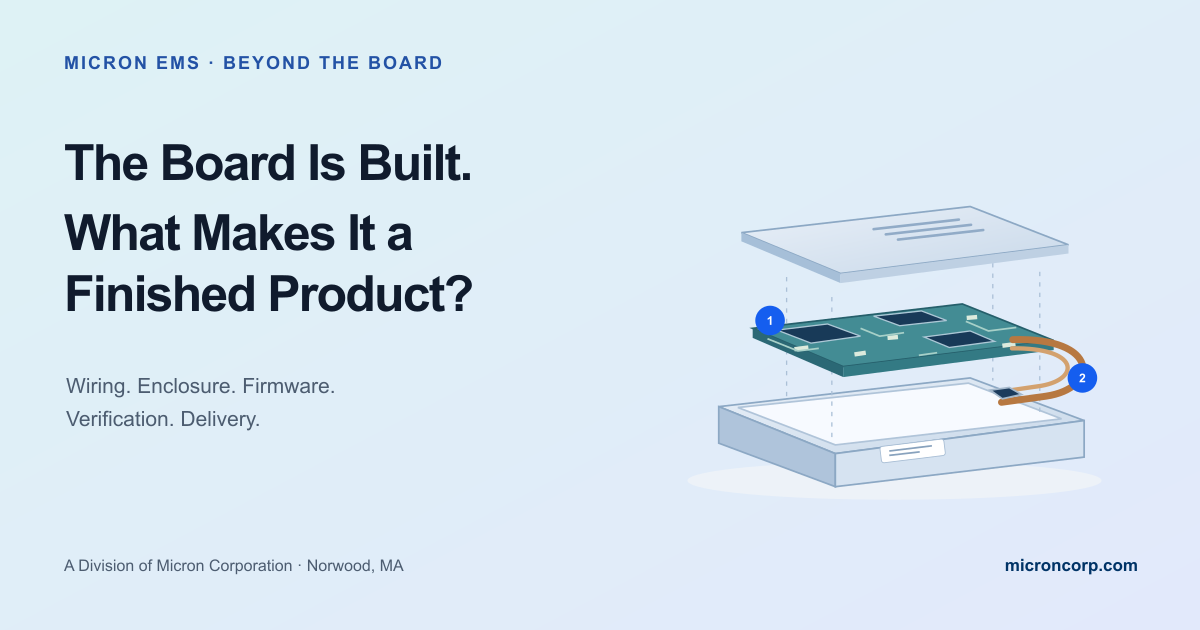
The Board Is Built.
What Makes It a Finished Product?
A practical guide to electronics box build: connecting the PCB, wiring, enclosure, firmware, final verification, and shipment into one approved manufacturing plan.
- 01Start with the approved board.PCBA, materials, and a defined configuration.
- 02Connect and integrate.Harnesses, enclosure, mounting, and assembly sequence.
- 03Configure and verify.Approved firmware, product checks, and recorded results.
- 04Identify and prepare to ship.Labels, accessories, documentation, and packaging.
A good board is one part of a complete product.
A printed circuit board assembly can be built correctly and pass its agreed tests while important work remains. It may still need a harness, enclosure, programmed configuration, identification, final checks, and the right items in the shipping carton.
Electronics box build brings those pieces together under a defined manufacturing scope. The useful question is: what must be assembled, configured, verified, documented, and supplied for this particular delivery to be complete?
Our recent reliability article connected the decisions behind a dependable build. Here, we follow the board into the rest of the product—and look at the interfaces that deserve attention along the way.
Agree whether the output is a board, a subassembly, or a complete unit.
Review how the electronics, wiring, mechanics, and software work together.
Match the final checks and shipping contents to the approved requirements.
What does “finished” mean for your order?
For one program, the deliverable is a tested PCBA ready for the customer’s integration line. For another, it is an enclosed controller with a power supply, cables, serial label, instructions, and packaging. Either can be the right endpoint when the scope is explicit.
A board-level bill of materials does not necessarily describe that larger assembly. The product package may also need mechanical drawings, wiring lists, mounting details, software identifiers, label artwork, test instructions, and pack-out requirements.
Review who supplies each item, who approves the configuration, and which checks remain with the customer. A manufacturing handoff works better when both teams can point to the same definition of complete.
Five connections worth planning before final assembly.
The board, harness, enclosure, and firmware each have their own requirements. Integration also needs instructions for the places where they meet.
The board and its mounting
Confirm the approved enclosure, mounting hardware, support locations, and assembly clearances. Can the board be installed without forcing a connector or trapping a cable? Are fasteners and any specified tightening requirements identified? Resolve fit and access questions while changes can still be reviewed deliberately.
The harness and its route
A wiring list defines connections; an assembly drawing explains where the wiring belongs. Identify connector orientation, cable routing, retention, strain relief, and any areas requiring protection. Check whether closing the enclosure changes the cable position. Use the product’s approved drawings and acceptance requirements to define the details.
The hardware and its software
Record the firmware image and configuration that belong with the assembly. Consider how programming, device identification, and any required calibration fit into the build sequence. If a programming connection becomes inaccessible after enclosure assembly, the instructions need an earlier programming step or an approved alternative.
The assembled unit and its test
Decide which functions must be checked at board level and which need the integrated configuration. A board test may not exercise the product’s actual harness, front-panel controls, display, or external interfaces. Define the setup, software version, limits, and records for the agreed final verification. A power-on indication answers only the question it was designed to check.
The product and its delivery package
Confirm label content and placement, required identifiers, included accessories, user documents, and protective packaging. A correctly built unit with the wrong cable or missing instructions still creates a problem for the receiving team. Make the carton contents and shipping configuration part of the approved scope.
The board passes. Then the lid goes on.
Imagine a small control unit. Its PCBA passes the agreed bench test. During final assembly, the harness is connected, the board is mounted, and the enclosure lid is installed.
The cable route was left to the assembler’s judgment. One branch crosses the lid’s closing path, so the cable must be repositioned before the enclosure can close correctly. The board test was useful, but it did not resolve the mechanical integration question.
A repeatable approach documents the route and retention points, confirms fit on the first integrated build, and identifies the checks required after final assembly. If that review leads to a design change, the affected drawings and instructions need an approved update.
| Stage | Question to answer |
|---|---|
| Board verification | Does the PCBA meet its agreed assembly and electrical acceptance criteria? |
| Integration review | Do the board, harness, hardware, and enclosure fit and connect as intended? |
| Final verification | Does the assembled configuration meet the functions and limits covered by its approved test plan? |
| Pack-out | Are identification, accessories, documents, and packaging correct for this delivery? |
This example illustrates a planning issue; it does not describe a Micron customer project.
Capture how the product comes together.
A useful assembly sequence tells people when to install, connect, program, inspect, and test. Some checks belong before access is covered; others need the enclosure and final wiring in place.
NASA’s product integration guidance emphasizes planned assembly sequences and management of interfaces between the parts of a system. For an electronics build, the practical application is a documented sequence and checks suited to the product.
Capture first-build findings in the controlled instructions. Keep the approved hardware, wiring, firmware, labels, and test versions linked to the assembly. Connect the required results to the lot or unit so a later question can be investigated.
Bring integration into the early conversation. Enclosure availability, harness drawings, fixtures, software readiness, and labeling can all affect the manufacturing plan. Review them alongside the board files rather than waiting until the PCBA is complete.
Six things to define before the product reaches final assembly.
Describe the finished scope.
Board, subassembly, or complete unit? Identify what the customer receives and what remains to be done.
Include the whole assembly.
Account for the PCBA, enclosure, harnesses, hardware, labels, accessories, and packaging, with supply responsibilities.
Release the integration details.
Provide mounting and wiring information, assembly order, required process controls, and approved revision identifiers.
Identify the software and settings.
Define firmware, configuration, programming access, and any required calibration or unique device identification.
Agree how completion is verified.
Name the inspections and functional checks, their limits, required records, and the people who approve exceptions.
Specify identification and pack-out.
Confirm labels, included items, documents, protective packaging, and the shipment’s required configuration.
You can start with an incomplete package. Identify the missing drawings, open decisions, and responsible people. Making the gaps visible gives the manufacturing discussion a useful starting point.
Plan the scope that fits the product.
Does box build always mean a complete finished product?
No. It can cover a defined subassembly or a more complete integrated unit. Specify the deliverable, required checks, included items, and any integration or testing the customer will perform after receipt.
Does a passed board test replace final product testing?
It depends on what the test covers and what the product requires. Review functions and connections introduced during integration, then define any additional verification needed for the assembled configuration.
Can Micron EMS discuss a build before every detail is finalized?
Yes. Share the board files and available enclosure, wiring, software, test, and delivery information. Identify what is still changing so the team can review scope, responsibilities, and the next steps.
Follow the product through the next decisions.
Turn an early working assembly into a process the next build can repeat.
Read the article →Inspection & testingKnow what each check answers.Connect the inspection and test methods to their intended coverage.
Read the article →After shipmentKeep the product history useful.Link the assembly to the records needed when questions arise later.
Read the article →