
Your Next Production Run
Shouldn’t Depend on Memory
Repeat electronics production starts with usable build records: the approved files, practical assembly instructions, setup details, and checks that carry learning into the next run.
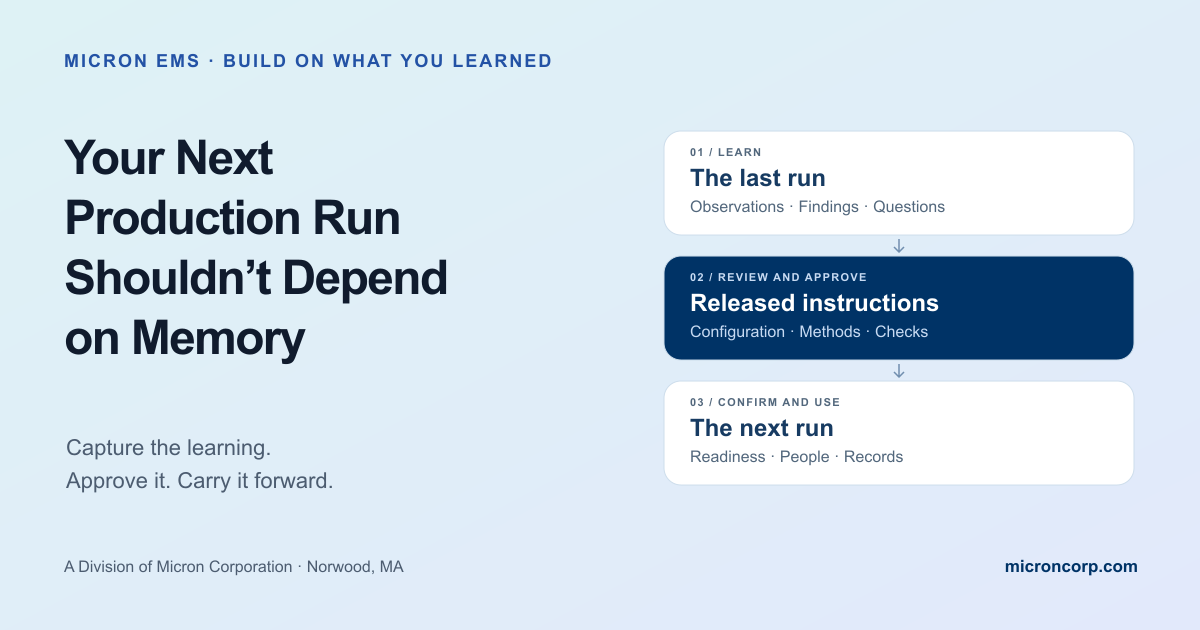
The last run
- Assembly observations
- Setup and test findings
- Questions resolved
Released instructions
- Approved configuration
- Clear methods and checks
- Defined applicability
The next run
- Ready files and tooling
- Trained people
- Recorded verification
A successful run should leave the next team a usable starting point.
The order ships. The boards pass their agreed checks. Along the way, the team resolves a connector question, clarifies a programming step, and finds a better way to show the cable route. Several weeks later, the reorder arrives.
Where did those decisions go?
Repeat electronics production depends on carrying approved learning into the next work order. Experienced people remain essential. Clear instructions let their knowledge help the whole team, including someone who did not build the previous lot.
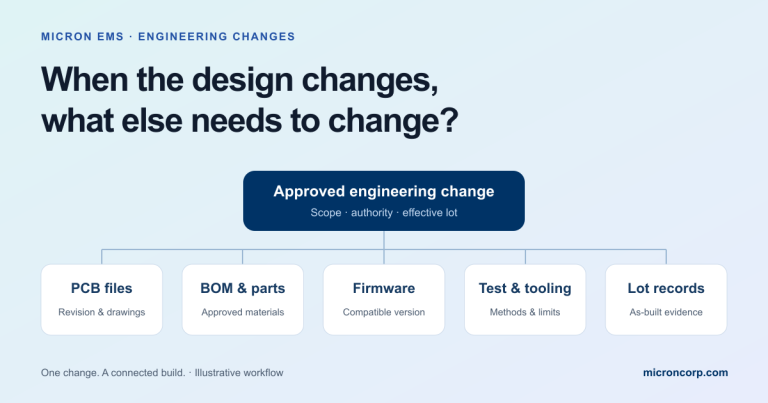
Our engineering change-control article explored how to coordinate a changed design. Here, the question is what each completed run should leave behind—even when the board design stays the same.
Record the observation where the next team can find its context.
Separate an approved instruction from a suggestion or a lot-specific exception.
Check that files, materials, tooling, and people are ready for the next order.
“We built this before” leaves important questions open.
A drawing may identify the finished assembly without showing a difficult installation sequence. A test log may show a pass without identifying the setup needed to reproduce the check. An email may settle an issue without reaching the released work instructions.
The practical task is to connect those pieces. Identify the product and lot, explain what happened, and route the information to the person responsible for the affected instruction. An assembly photo can help when it clearly identifies the approved orientation, step, and revision.
A useful question at closeout is simple: what did someone have to ask, discover, or remember to complete this build correctly?
Five records that make repeat electronics production easier to restart.
The format can be paper, digital, or a combination. Make the information identifiable, approved where required, available at the work point, and connected to the applicable product.
The configuration released for the order
Identify the compatible PCB files, bill of materials, drawings, firmware, and test procedure. Their revision identifiers may differ. Keep a clear list showing which versions belong together. Retain the completed lot’s actual configuration separately from the package intended for the next run.
The assembly details that required clarification
Capture orientation, wire routing, installation order, labeling, and other product-specific details that prompted questions. Use approved drawings or annotated images where they communicate the method more clearly. Review changes through the applicable process; a handwritten note from one lot does not automatically become the next lot’s instruction.
The setup and tooling information
Identify the applicable machine programs, stencils, fixtures, adapters, and controlled process settings. Record approved setup references and any required checks before use. A fixture that worked previously still needs the condition, maintenance, and calibration checks applicable to its purpose before the new run starts.
The verification method and its evidence
Connect inspection and test steps to the approved procedure, equipment, configuration, acceptance limits, and required records. Include how firmware identity is checked where programming is in scope. Define the response to an unexpected result. A previous pass does not authorize a different limit or a skipped check on the next lot.
The decisions and unresolved actions
Record the issue, disposition, approval, affected units, and effective lot where relevant. Assign an owner to open work. Mark a temporary deviation’s scope and expiration clearly. Carry forward the visibility of the issue; carry forward an exception only when its authorization explicitly covers the next build.
The board is unchanged. The useful detail was missing.
Imagine an enclosed controller. During the first run, the team clarifies that a harness must pass beneath a mounting feature before the board is secured. The approved route provides the required clearance when the lid closes.
The team completes the lot correctly, but the clarification stays in an email. On the reorder, another qualified assembler opens the original drawing. The same question returns.
| Information | What leaves a gap | A useful handoff |
|---|---|---|
| Cable route | A message saying “as discussed” | An approved, identified view of the route |
| Assembly order | The sequence lives with one person | The step appears before board fastening |
| Verification | “It fit last time” | The required clearance check is defined |
| Applicability | No link to the product or release | The instruction identifies the affected assembly and version |
The next step is to review the clarification, update the affected instruction with the required authorization, and check that the released package is available for the reorder. If the route changes a design requirement, involve the design authority before releasing it.
This is an illustrative scenario, not a report of a Micron customer build.
Reuse the learning. Review today’s conditions.
Even an unchanged product returns to a manufacturing environment that may have changed. Components may have new availability constraints. Tooling may need attention. A different team may be assigned. The required shipment configuration may differ.
Use the previous closeout to guide a focused restart review. Confirm material and approved alternatives, applicable files, setup readiness, training, and any open actions. Our prototype-to-production guide explains why this repeatable manufacturing path deserves its own planning.
Keep the review proportionate to the product and its requirements. A familiar reorder may need a concise confirmation; a changed configuration or unresolved finding may need additional engineering review or verification.
A restart checklist worth keeping with the build.
Identify the approved package.
Confirm the assembly, file versions, firmware, test procedure, and delivery configuration for this order.
Close the instruction gaps.
Check that approved assembly and setup clarifications reached the instructions used at the work point.
Check materials and tooling.
Review parts, approved alternatives, programs, fixtures, equipment condition, and required setup checks.
Confirm training and access.
Make the applicable instructions available and resolve unfamiliar steps with the responsible team.
Resolve temporary decisions.
Confirm the scope of deviations and the disposition of open actions before work relies on them.
Define the records to retain.
Agree what will identify the actual configuration, completed checks, results, and shipment for this lot.
Try this at closeout: “What should the next team know before it starts, which document needs that detail, and who will confirm the update is complete?”
A repeat order is a chance to use what the team learned.
Micron EMS, a division of Micron Corporation, supports prototypes, NPI, and recurring low-volume, high-mix electronics builds. Its EMS capabilities bring assembly, programming, inspection, and customer-specific documentation into the production discussion.
For a returning project, share what changed, what needs to remain consistent, and what the next shipment must include. That gives the customer and manufacturing team a practical basis for reviewing the restart together.
Practical manufacturing conversations.
Clear requirements for the next build.
Keep the record useful.
Do repeat builds need new documentation every time?
They need the correct, applicable instructions and a record of the new lot. Existing approved instructions may be reused after confirming their applicability and readiness. Changes and unresolved issues should follow the required review process.
Can photos replace assembly drawings?
Photos can clarify orientation and sequence when they are identified, reviewed, and linked to the applicable instructions. They need enough context to be unambiguous and should support the required drawings, specifications, and acceptance criteria.
Does a temporary deviation apply to the reorder?
Only if its authorization covers that order. Check the affected configuration, quantity, lot, and expiration or other stated limits. Ask the responsible authority to resolve any gap before proceeding.
Connect the next run to the complete build.
Follow a change through files, materials, firmware, testing, and the effective lot.
Read the article →After shipmentKeep the actual build history.Connect shipped assemblies to the records needed when questions arise later.
Read the article →The delivered unitLook beyond the board.Include integration, verification, identification, and pack-out in the production plan.
Read the article →